Task list page
A page that provides structure for multiple steps in a service. Use a task list to outline the entire process and show the status of each task as users move through it.
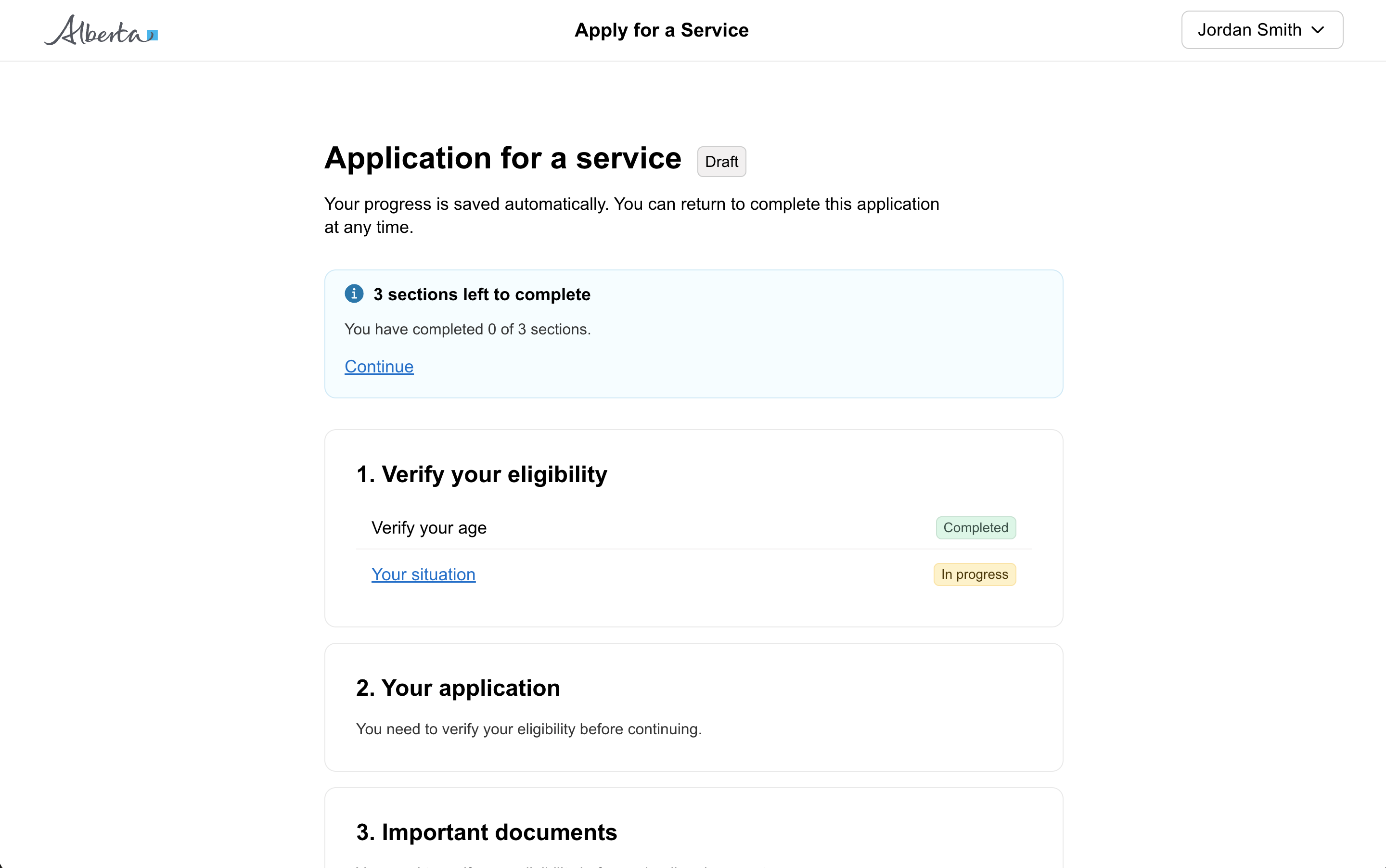
When to use a task list page
Use a task list page to provide a structure for multiple steps in a service. Show a task list page when a citizen begins a service, and when they return to the service.
When using a task list, group related actions into tasks and show the status of the tasks.
How to define a task
The size and complexity of a task is determined by the service and content. A task can be defined as small as a single action, such as “sign a document” or “upload a file”, or it can be as big as an entire section of a form with multiple question pages and a review page.
Use tasks to break down the steps in a service in an understandable way.
Show status of tasks
Make it clear which tasks a user has completed and which they still need to complete.
Suggested statuses
- Completed — success
- In progress — dark grey
- Not started — information
- Cannot start yet — light grey
Include a summary above the task list to say how many tasks have been completed. This also makes it clearer to the user that there are still tasks left to complete.
How is a task list different from a stepper?
Stepper:
- a visual navigation within a form
- shown at the top of every page in a form
- scope: sections of a form
Task list:
- can be used to outline more than just sections of a form
- not shown on every page
Completing tasks in order
When possible, allow users to complete tasks in any order. This will help them plan their time and complete sections as and when they can.
Anatomy
- Page title — heading-large
- Status of completed sections —
goa-callout - Section — task-list-section
- Section heading — heading-medium
- Task —
goa-table