Start page
The front door to a government service for a citizen. It is the way into the service and how citizens access it. Each government service has a start page on Alberta.ca.
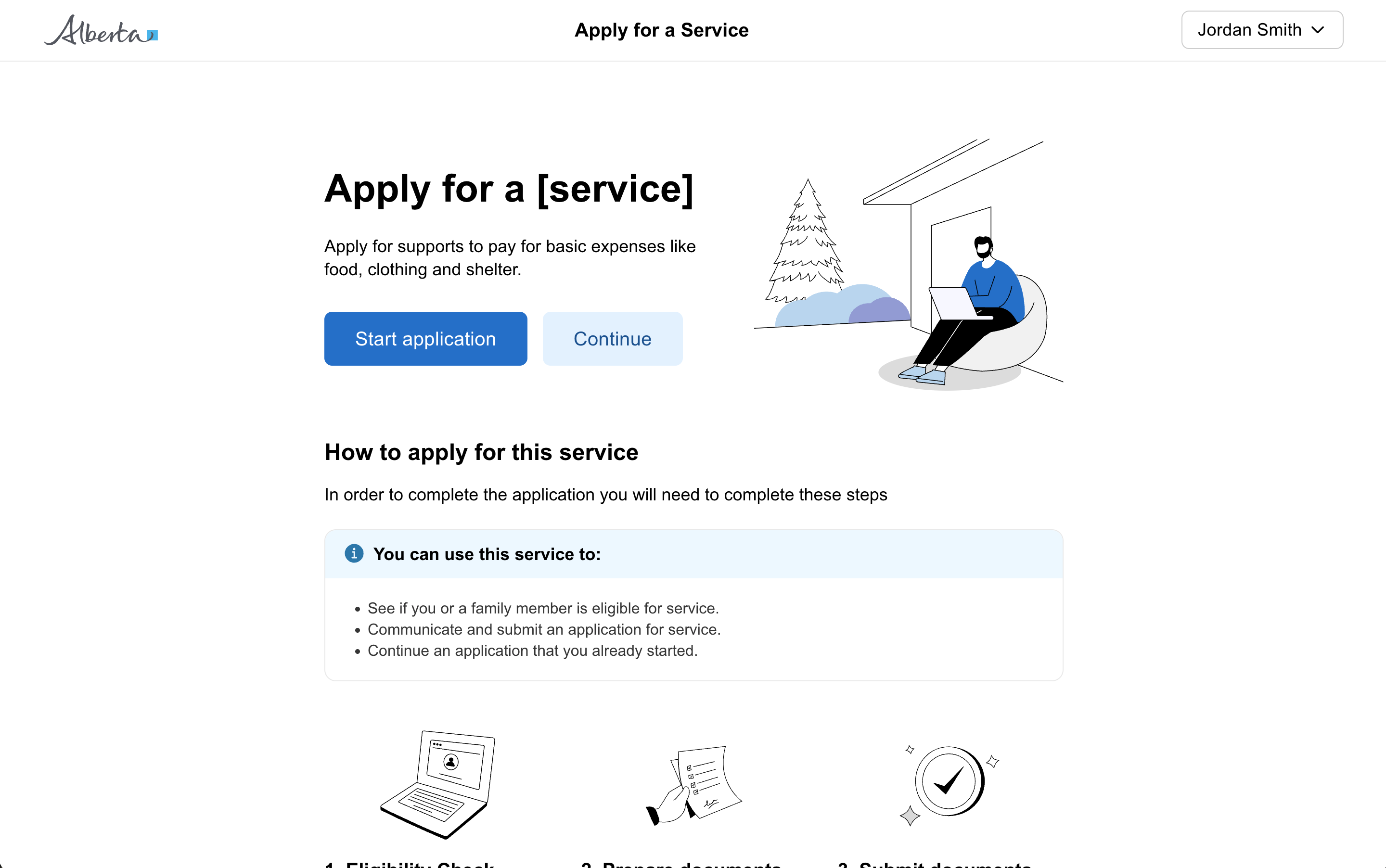
When to use a start page
A start page is the front door to a government service for a citizen. It is the way into the service, how they access the service. Each government service has a start page on Alberta.ca. Contact the relevant person at Alberta.ca to make changes to the start page for your service.
This is the starting point for a citizen to begin your form from within your service or from Alberta.ca.
Provide the user with any information that is important before starting the form, such as how long it should take, a list of documents or information they may need to complete the form, any costs involved, or alternative ways to access the service.
A service’s start page should
- give the user just enough information to help them understand what the service does and whether it will meet their need
- have a service name that reflects the problem it solves for users
- be written in plain language. See the GoA web writing style guide.
- include a “start” button linking into the service, with text consistent with the action you are asking users to take. For example: “Start now”, “Sign in”, or “Register or update your details”.
- include any other information that most users are likely to need before they start using the service online. For example: how much it costs to use the service and roughly how long it will take.
- include additional information about the service, such as other ways to access it (e.g. by telephone or by completing a paper form). This should be included after the main call to action to start the digital service.
Page content
Consider the primary information that the user needs to know before entering into the service. Provide that information clearly, then provide a link to start using the service. Provide additional secondary information below the call to action.
Overview
What the user needs to know before they enter the service. A high-level description of what the service is and what they can use it to do.
Before you begin
- how long it will take
- what they will need to complete the service (e.g. specific documents)
- other important information
Call to action
Below the primary information, include an obvious call to action to get started with the service.
Other information
Below the call to action, include any additional information as applicable, such as customer support, frequently asked questions, or related links.