Details

Let users reveal more detailed information when they need it.

Props

heading
string
The title heading.
maxWidth
string
Sets the maximum width of the details.
Defaults to 75ch.
open
boolean
Controls if details is expanded or not.
testId
string
Sets a data-testid attribute for automated testing.
mt, mr, mb, ml
Spacing
Apply margin to the top, right, bottom, and/or left of the component.
heading
string
The title heading.
maxWidth
string
Sets the maximum width of the details.
open
boolean
Controls if details is expanded or not.
testId
string
Sets the data-testid attribute for automated testing.
mt, mr, mb, ml
Spacing
Apply margin to the top, right, bottom, and/or left of the component.
heading
string
The title heading.
maxwidth
string
Sets the maximum width of the details.
Defaults to 75ch.
open
boolean true | false
Controls if details is expanded or not.
Defaults to false.
testid
string
Sets a data-testid attribute for automated testing.
mt, mr, mb, ml
Spacing
Apply margin to the top, right, bottom, and/or left of the component.
Examples

Ask a user for direct deposit information

const [bankNumber, setBankNumber] = useState("");
const [transitNumber, setTransitNumber] = useState("");
const [accountNumber, setAccountNumber] = useState("");
<GoabText tag="h1" size="heading-l" mt="none" mb="m">
  Direct deposit information
</GoabText>
<GoabText tag="p" mb="xl">
  Find this information on your bank's website or on your personal cheques. Contact
  your bank if you can't find this information.
</GoabText>
<form>
  <GoabFormItem label="Bank or Institution number" helpText="3-4 digits in length">
    <GoabInput
      maxLength={4}
      name="bankNumber"
      onChange={(e) => setBankNumber(e.value)}
      value={bankNumber}
      ariaLabel="bankNumber"
      width="88px"
    />
  </GoabFormItem>
  <GoabFormItem
    label="Branch or Transit number"
    helpText="5 digits in length"
    mt="l"
  >
    <GoabInput
      maxLength={5}
      name="transitNumber"
      onChange={(e) => setTransitNumber(e.value)}
      value={transitNumber}
      ariaLabel="transitNumber"
      width="143px"
    />
  </GoabFormItem>
  <GoabFormItem label="Account number" helpText="3-12 digits in length" mt="l">
    <GoabInput
      maxLength={12}
      name="accountNumber"
      value={accountNumber}
      onChange={(e) => setAccountNumber(e.value)}
      ariaLabel="accountNumber"
    />
  </GoabFormItem>
</form>
<GoabDetails
  heading="Where can I find this information on a personal cheque?"
  mt="l"
>
  <GoabText tag="p" mb="m">
    Below is an example of where you can find the required bank information on a
    personal cheque.
  </GoabText>
  <img
    src="https://design.alberta.ca/images/details-demo.jpg"
    alt="Cheque example showing bank information locations"
  />
</GoabDetails>

<GoabButton type="submit" mt="2xl">
  Save and continue
</GoabButton>
form!: FormGroup;

constructor(private fb: FormBuilder) {
  this.form = this.fb.group({
    bankNumber: [""],
    transitNumber: [""],
    accountNumber: [""],
  });
}
<goab-text tag="h1" size="heading-l" mt="none" mb="m"
  >Direct deposit information</goab-text
>
<goab-text tag="p" mb="xl">
  Find this information on your bank's website or on your personal cheques. Contact your
  bank if you can't find this information.
</goab-text>
<form [formGroup]="form">
  <goab-form-item label="Bank or Institution number" helpText="3-4 digits in length">
    <goab-input
      [maxLength]="4"
      name="bankNumber"
      formControlName="bankNumber"
      ariaLabel="bankNumber"
      width="88px"
    >
    </goab-input>
  </goab-form-item>
  <goab-form-item label="Branch or Transit number" helpText="5 digits in length" mt="l">
    <goab-input
      [maxLength]="5"
      name="transitNumber"
      formControlName="transitNumber"
      ariaLabel="transitNumber"
      width="143px"
    >
    </goab-input>
  </goab-form-item>
  <goab-form-item label="Account number" helpText="3-12 digits in length" mt="l">
    <goab-input
      [maxLength]="12"
      name="accountNumber"
      formControlName="accountNumber"
      ariaLabel="accountNumber"
    >
    </goab-input>
  </goab-form-item>
</form>
<goab-details heading="Where can I find this information on a personal cheque?" mt="l">
  <goab-text tag="p" mb="m"
    >Below is an example of where you can find the required bank information on a personal
    cheque.</goab-text
  >
  <img src="https://design.alberta.ca/images/details-demo.jpg" alt="Cheque example" />
</goab-details>

<goab-button type="submit" mt="2xl" (onClick)="onSubmit()">
  Save and continue
</goab-button>
["bank-number-input", "transit-number-input", "account-number-input"].forEach((id) => {
  document.getElementById(id)?.addEventListener("_change", (e) => {
    console.log(`${id}:`, e.detail.value);
  });
});
<goa-text as="h1" size="heading-l" mt="none" mb="m">Direct deposit information</goa-text>
<goa-text as="p" mb="xl">
  Find this information on your bank's website or on your personal cheques. Contact your
  bank if you can't find this information.
</goa-text>
<form>
  <goa-form-item
    version="2"
    label="Bank or Institution number"
    helptext="3-4 digits in length"
  >
    <goa-input
      version="2"
      maxlength="4"
      name="bankNumber"
      id="bank-number-input"
      aria-label="bankNumber"
      width="88px"
    >
    </goa-input>
  </goa-form-item>
  <goa-form-item
    version="2"
    label="Branch or Transit number"
    helptext="5 digits in length"
    mt="l"
  >
    <goa-input
      version="2"
      maxlength="5"
      name="transitNumber"
      id="transit-number-input"
      aria-label="transitNumber"
      width="143px"
    >
    </goa-input>
  </goa-form-item>
  <goa-form-item
    version="2"
    label="Account number"
    helptext="3-12 digits in length"
    mt="l"
  >
    <goa-input
      version="2"
      maxlength="12"
      name="accountNumber"
      id="account-number-input"
      aria-label="accountNumber"
    >
    </goa-input>
  </goa-form-item>
</form>
<goa-details heading="Where can I find this information on a personal cheque?" mt="l">
  <goa-text as="p" mb="m"
    >Below is an example of where you can find the required bank information on a personal
    cheque.</goa-text
  >
  <img src="https://design.alberta.ca/images/details-demo.jpg" alt="Cheque example" />
</goa-details>

<goa-button version="2" id="submit-btn" type="submit" mt="2xl">
  Save and continue
</goa-button>

Question page

Question page preview
View more

Other

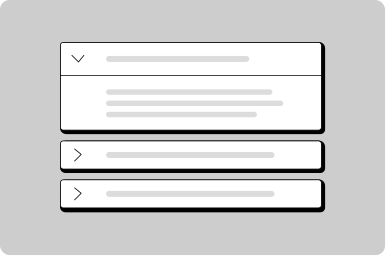
Don't stack multiple details together. Use an accordion instead for sets of information.
Use details inline within a form to disclose more information as needed.

Content

Acceptable documents include utility bills dated within 3 months, bank statements, or government correspondence.

Use details to show more information or to help the user make a decision.

Lorem ipsum dolor sit amet, consectetur adipiscing elit. Dui integer sagittis, quis felis eu viverra libero.

Keep content within 50-75 characters for optimal line length.

Feedback

Don't add more than 140 characters to a tooltip; for lengthy information use the details component.
All GoA Design System components are built to meet WCAG 2.2 AA standards. The following guidelines provide additional context for accessible implementation.

No accessibility-specific guidelines have been documented for this component yet.

View old component docs